
Understanding Standard Post Shop Questions
Understanding Standard Post-Shop Questions
After every marketplace simulation, we generate additional product and category insights with standardizes Post-Shop Questions. These are asks directly after a participant purchased a product in the simulation. After these standard post shop questions, your custom post shop questions are asked for additional consumer insights.
This article should help you to understand what these standard business questions are, when they are asked and what value they are bringing.
What Are Standard Post-Shop Questions?
After participants complete a marketplace simulation, Aybee automatically asks standardized questions about their purchase decision. These questions help us understand why participants chose to buy your test product or why they decided not to purchase it.
Key Benefits:
- Automatic insights generation - no setup required
- Consistent data collection across all marketplace simulations
- AI-powered analysis that categorizes responses into actionable insights
- Comprehensive understanding of purchase motivations and barriers
How Standard Post-Shop Questions Work
When Your Test Product Is Purchased → Purchasing Drivers
When a participant chooses your test product, they see questions like:
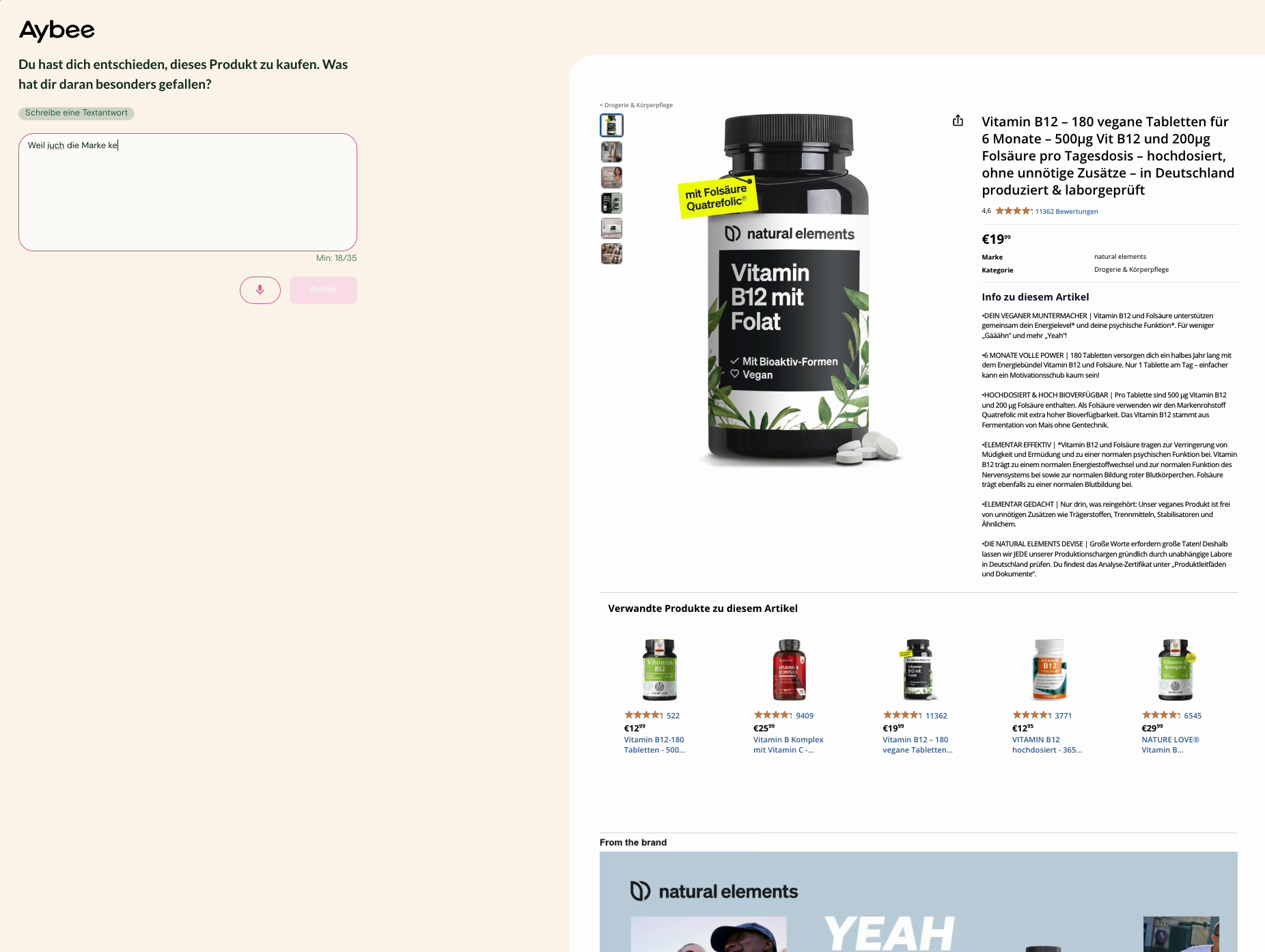
3 Questions are asked after a participant purchases the test product:
- "You decided to purchase this product. What did you particularly like about it?"
- "If you could change something about the product shown, what would it be and why?"
- "What are your top 3 criteria when choosing a product in this category?"
What This Generates:
- Purchasing Drivers - Key factors that motivated the purchase
- Improvement Potentials - Suggestions for product enhancement
- Category Drivers - The 3 most important criteria in the product category
When a Competitor Product Is Purchased → Purchasing Barriers
When a participant chooses a competitor product instead, they see questions like:
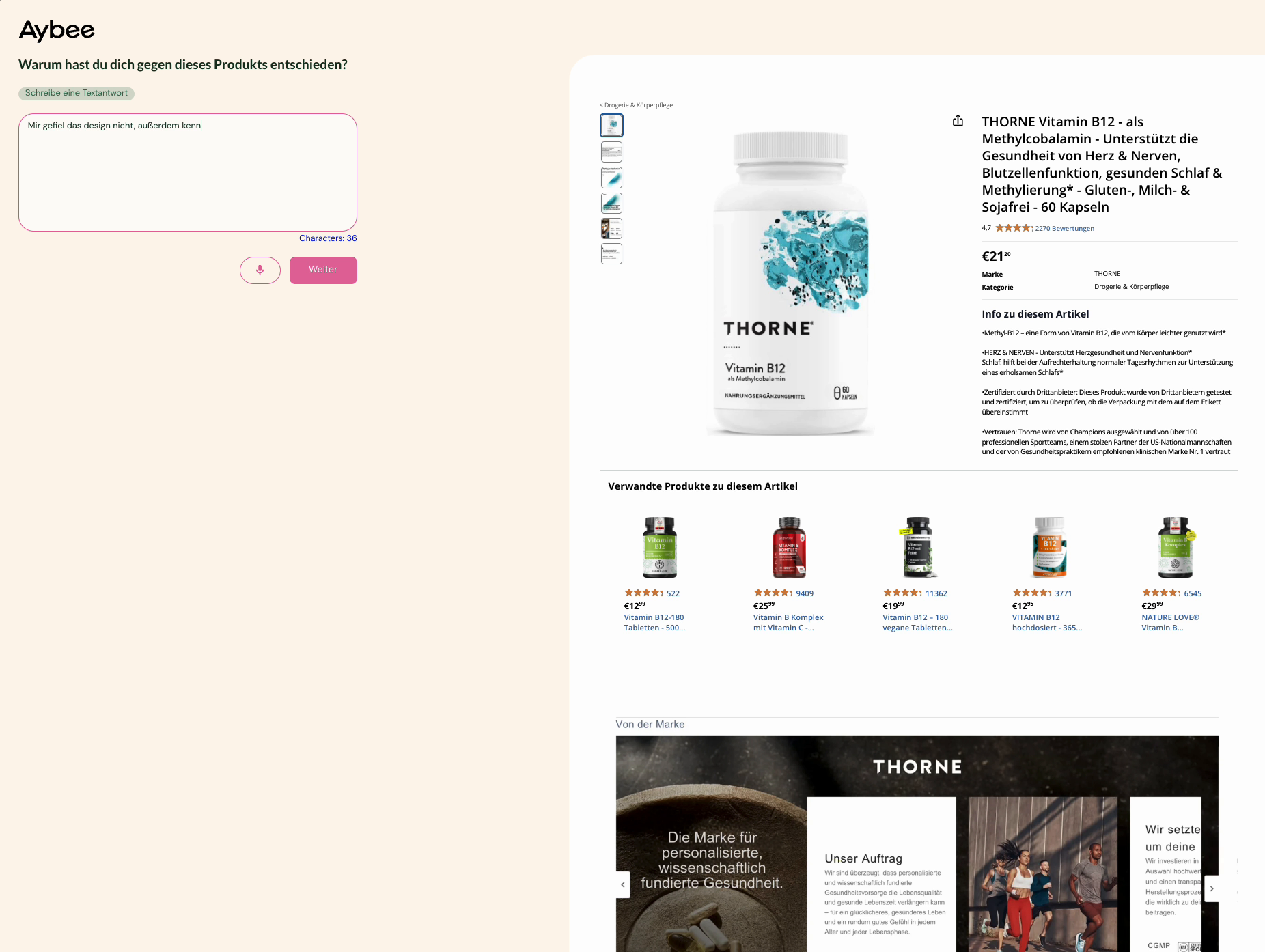
4 Questions are asked after a participant purchases the test product:
- "You decided to purchase this product. What did you particularly like about it?"
- "If you could change something about the product shown, what would it be and why?"
- "Why did you decide against this product?"
- "What are your top 3 criteria when choosing a product in this category?"
What This Generates:
- **Purchasing Drivers of the competitor product **- Key factors that motivated the purchase
- Improvement Potentials **of the competitor product **- Suggestions for product enhancement
- Purchasing Barriers - Reasons why your test product wasn't chosen
- Category Drivers - The 3 most important criteria in the product category
Types of Insights Generated
1. Purchasing Drivers
When your test product is purchased
Examples of Purchasing Drivers:
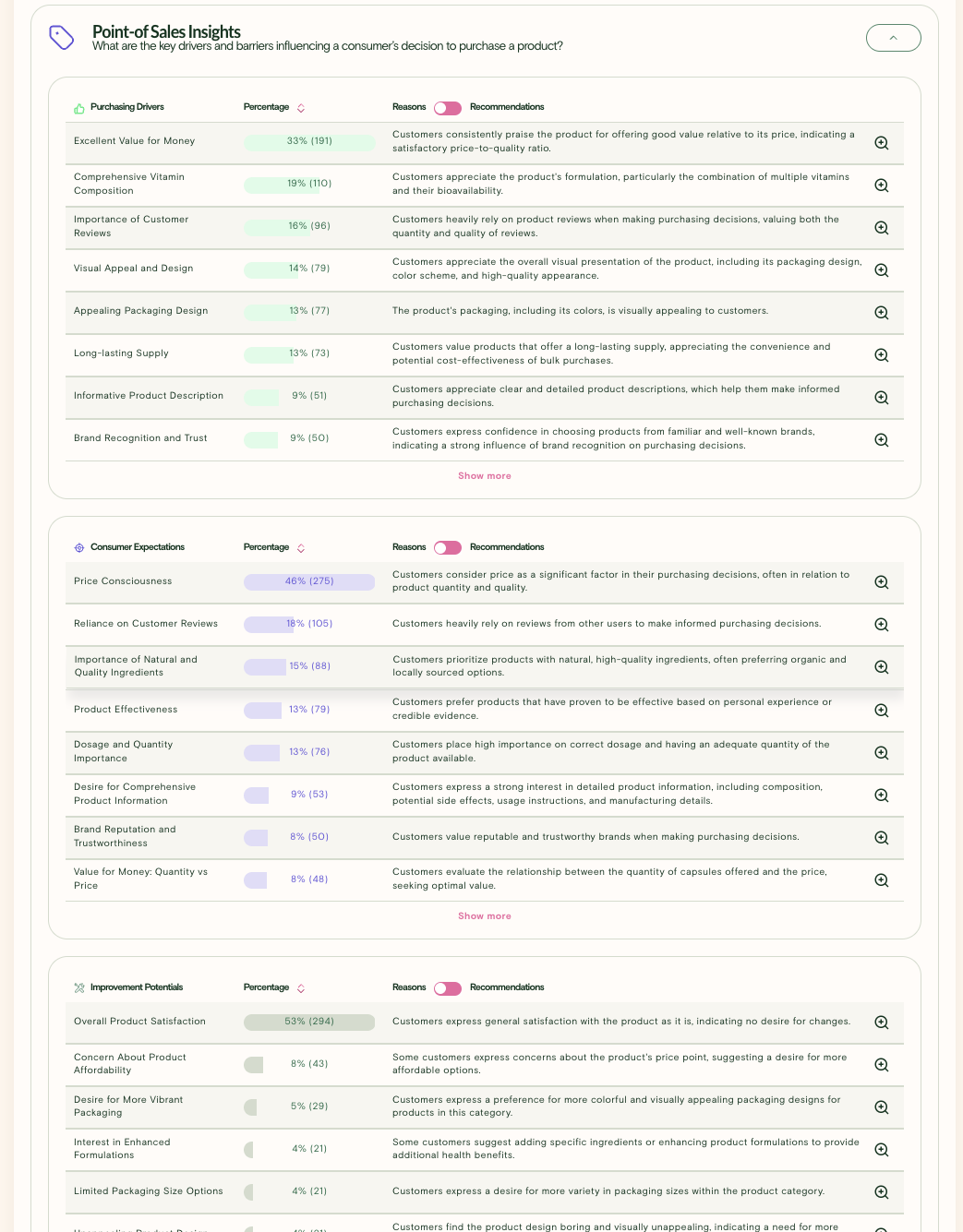
- Excellent Value for Money (33%)
- Comprehensive Vitamin Composition (19%)
- Importance of Customer Reviews (16%)
- Visual Appeal and Design (14%)
- Appealing Packaging Design (13%)
2. Purchasing Barriers
When competitor products are purchased
Examples of Purchasing Barriers:
- Price point too high compared to alternatives
- Packaging design not appealing
- Missing key ingredients or features
- Brand recognition concerns
- Product information unclear
3. Category Drivers
Universal insights about what matters most in your product category
Examples:
- Price consciousness (46%)
- Reliance on customer reviews (18%)
- Importance of natural ingredients (15%)
- Product effectiveness (13%)
4. Improvement Potentials
Actionable suggestions for product enhancement
Examples:
- Overall Product Satisfaction (59%)
- Concern About Product Affordability (8%)
- Desire for More Vibrant Packaging (5%)
- Interest in Enhanced Formulations (4%)
The Insights that you can see in the dashboard:
How to Access Standard Post-Shop Questions
Preview the Experience
- Navigate to Form Questions page in your project setup
- Click "Preview Journey" to experience the test as a participant
- Complete the shopping simulation to see standard questions in action
- Experience both scenarios:
- Purchase your test product (see Purchasing Driver questions)
- Purchase a competitor product (see Purchasing Barrier questions)
Your Custom Post-Shop (Form) Questions
Important: Standard post-shop questions are automatic and appear first. Your custom Form Questions will appear after participants complete the standard questions.
Custom Question Timing:
- Participant completes shopping simulation
- Standard post-shop questions appear automatically
- Your custom Form Questions appear next
- Participant completes the survey
Understanding Your Dashboard Results
Purchasing Drivers Analysis
Available when participants buy your test product
What to Look For:
- Top 3-5 drivers that consistently motivate purchases
- Percentage distribution to understand relative importance (note percentage is >100 as per participants multiple sentiments can be generated)
- Qualitative reasons behind each driver category
- Demographic variations in purchasing motivations
Purchasing Barriers Analysis
Available when participants choose competitors
What to Look For:
- Primary barriers preventing purchase of your product
- Competitive advantages that competitors leverage
- Percentage distribution to understand relative importance (note percentage is >100 as per participants multiple sentiments can be generated)
- Product feature gaps compared to market expectations
Category Drivers Insights
Universal insights about your product category
What to Look For:
- Market priorities that drive all purchase decisions
- Category trends and consumer expectations
- Opportunity areas where the market is underserved
- Positioning strategies based on category dynamics
Next Steps
- Experience the Preview Journey to understand standard questions
- Design complementary custom questions for specific insights
- Launch your marketplace simulation with confidence
Remember: Standard post-shop questions provide the foundation for understanding purchase behavior. They work automatically with an AI sentiment analysis in every marketplace simulation, giving you consistent, comparable insights across all your tests.
Updated on: 14/10/2025
Thank you!